How to validate a digital signature
Following are the steps to validate Digital Signature:
-
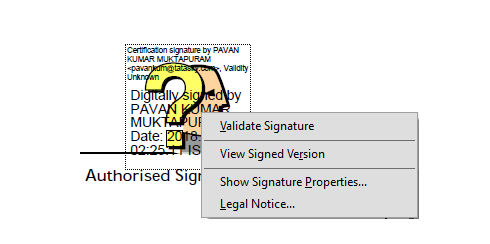
STEP 1
Right click on the Authorised Signature view, and select Validate Signature.
-
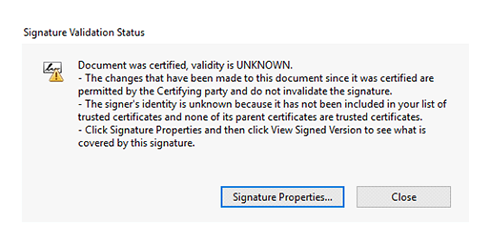
STEP 2
Click on 'Signature Properties'.
-
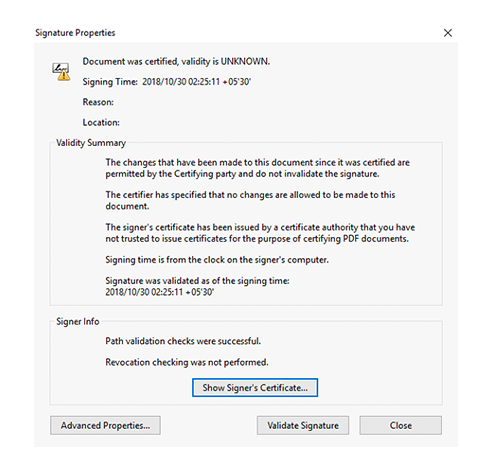
STEP 3
In 'Signature Properties' window, click on 'Show Signer's Certificate'.
-
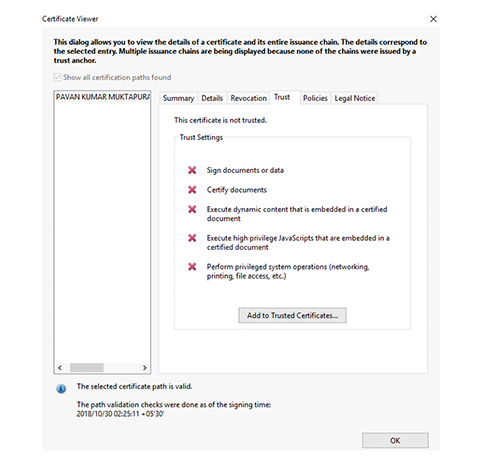
STEP 4
In Certificate Viewer window, under 'Trust' tab, click on 'Add to Trusted Certificates' button.
-
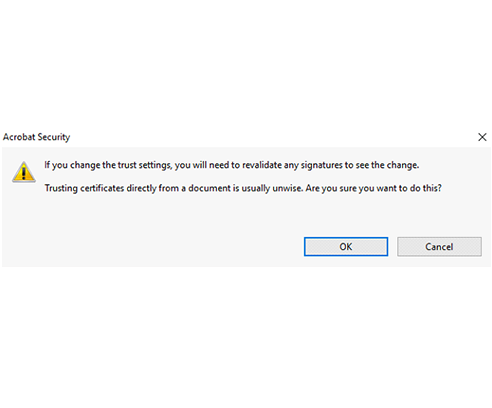
STEP 5
Click 'OK' button in the Acrobat security warning window.
-
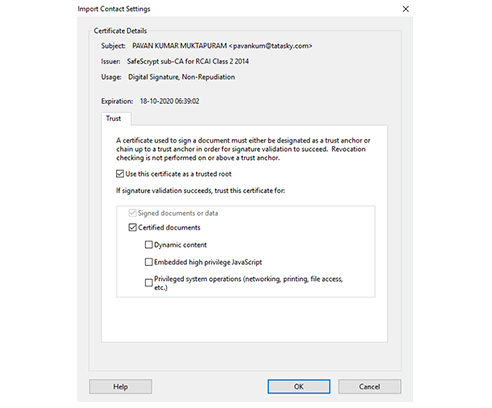
STEP 6
To complete signature validation, click 'OK' in the Import Contact Settings window.
-
STEP 7
Signature Validation is now complete.